Status alerts
Keep active Submittal reviews and RFI responses visible when review state changes or a handoff needs attention.
ConstructFlow uses shared workflow controls across Submittals and RFIs while preserving the module-specific rules that make package review and design clarification different.
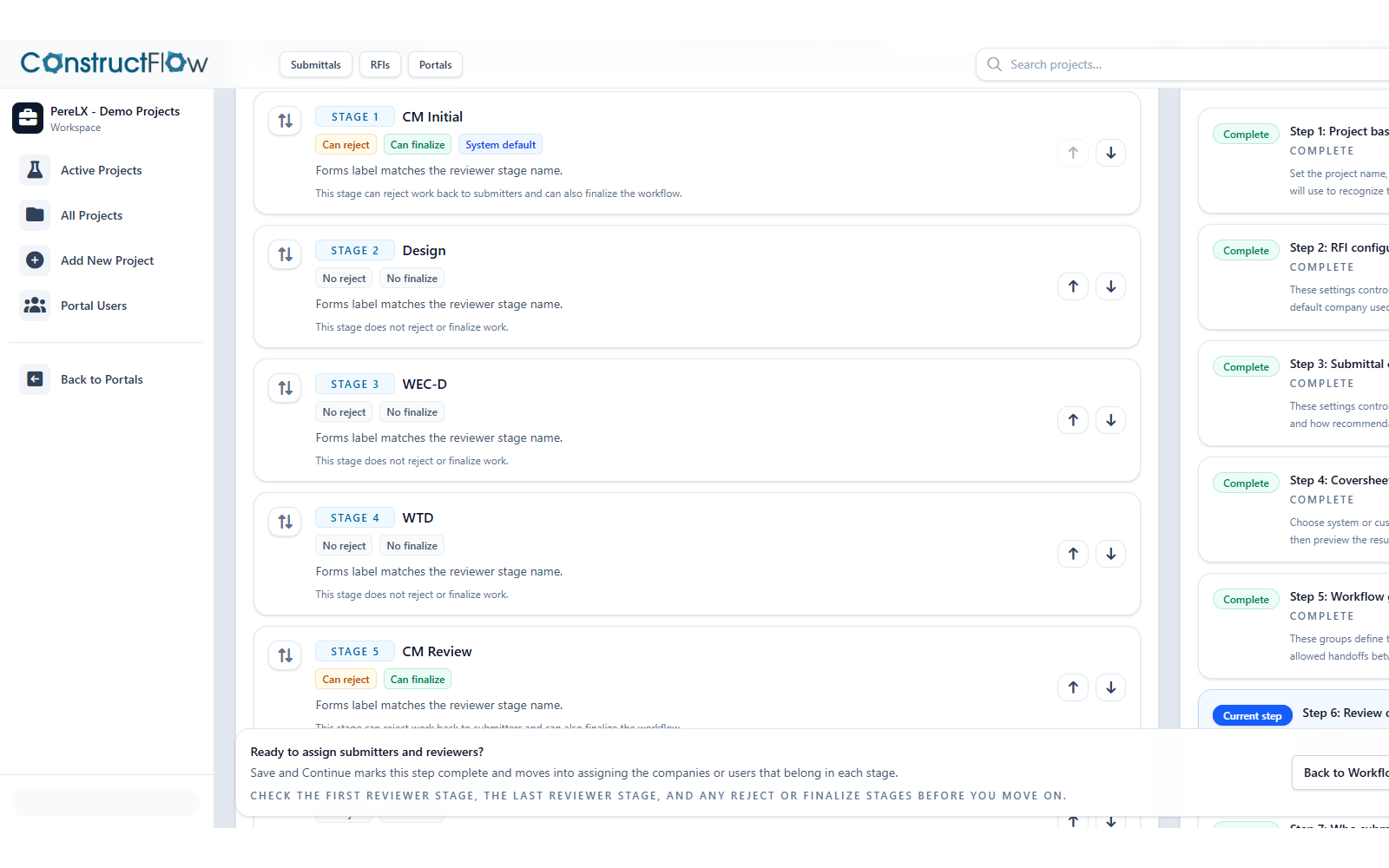
Review flow
Submittals and RFIs both need clear routing, reviewer accountability, and tools to track key routing, status, comment, and response activity from intake to final response or decision.
Clear routing
Submittals and RFIs both need visible paths from intake to the next responsible reviewer.
Reviewer accountability
Reviewers see the work assigned to them with the comments, files, and status context needed for review.
Status movement
Track key routing, status, comment, and response activity from intake to final response or decision.
Module-specific rules
Shared workflow controls support both modules without treating package decisions and response approval as the same event.
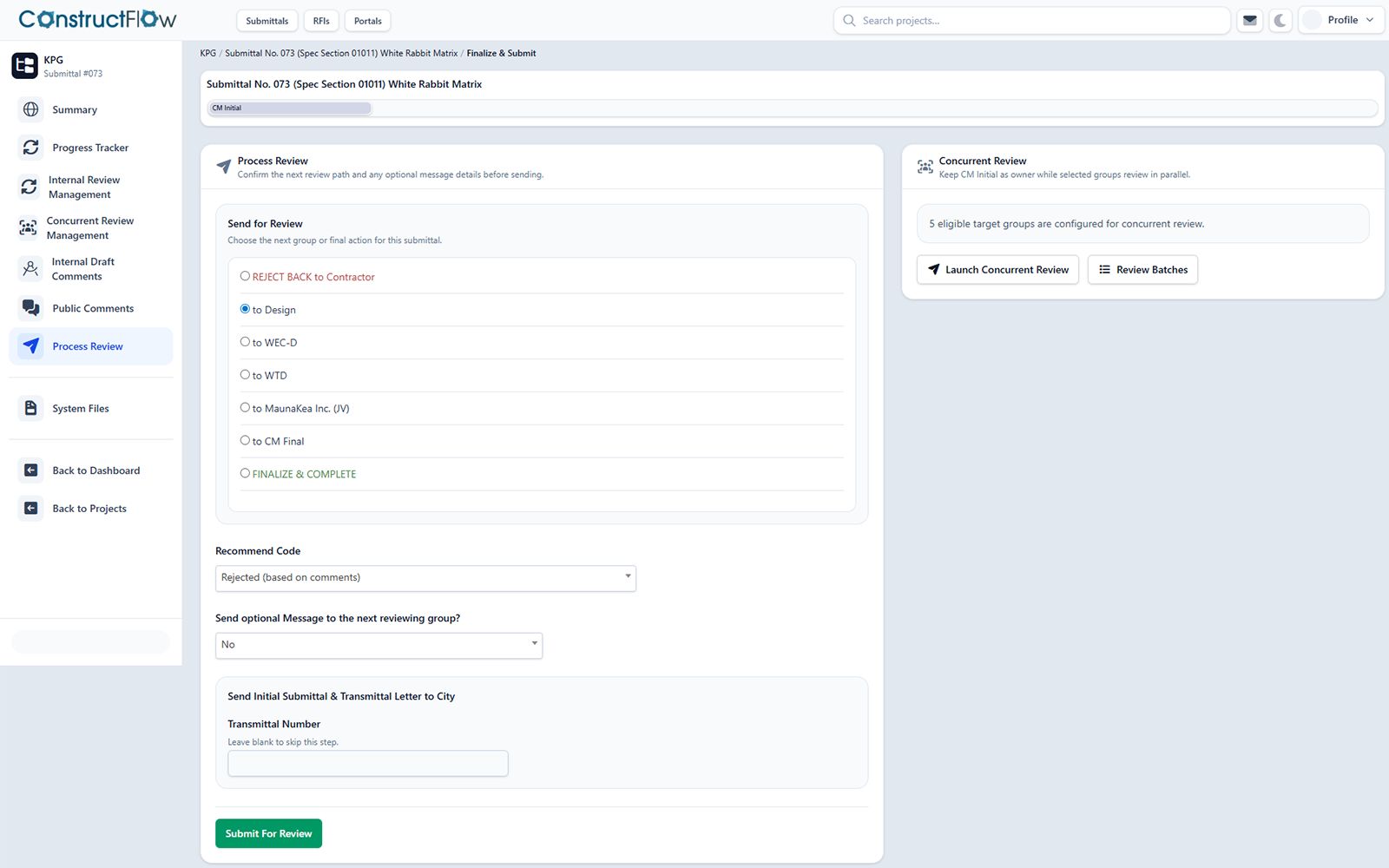
Submittals example
Review groups, package status, and final package decisions stay tied to the Submittal cycle.
RFI example
Reviewer routing, draft response work, and outgoing response approval stay attached to the clarification.
Alerts and reminders
Reminders and notifications help active Submittal reviews and RFI responses move forward by bringing reviewers back to the right record.
Keep active Submittal reviews and RFI responses visible when review state changes or a handoff needs attention.
Support review movement by bringing the right reviewer back to the right context at the right point in the workflow.
Notify responsible participants when a comment, mention, or review handoff needs their response.
Exports and closeout
Both workflows can export available records for project handoff, review history, and closeout support, with module-specific output beneath the shared workflow controls.
Submittal final documentation can stay tied to review cycles, comments, package decisions, and available closeout context.
RFI exports can preserve final response language, reference context, status history, and related workflow records where available.
Both workflows can export available records for project handoff, review history, and closeout support.
Project Record Intelligence
Related records, references, comments, attachments, and PDF page evidence can support both workflows where available, with AI assistance kept in draft or summary form for human approval.
AI answer with source references
Draft answer for review
The current record indicates the door hardware substitution still needs architect review because the latest RFI response references the approved finish schedule, while the submittal comments ask for a revised cut sheet before final approval.
RFI-017 Final Response
Reviewer response references finish schedule and requires confirmation before release.
Door Hardware Submittal Cycle 2
Open comment requests a revised cut sheet and updated manufacturer data.
Finish Schedule page reference
Indexed page evidence points reviewers to the relevant schedule location when available.
Linked records & references
Source-linked context can support both Submittals and RFIs by keeping related records, references, comments, and attachments closer to the review work where available.
Source-backed assistance
AI can help draft, summarize, or organize review context, but final review decisions and outgoing responses remain reviewer-approved.
Record-backed AI
Drafting and summary help stays source-backed and human-approved.
Module fit
Submittals are package review and status workflows. RFIs are design clarification and answer workflows. Both need routing, comments, alerts, exports, source context, and human-approved AI assistance.
Submittals
RFIs
Workflow FAQ
Straight answers about shared controls, Submittal-specific behavior, RFI-specific behavior, AI approval, and exports.
Yes. Both workflows use shared controls for routing, reviewer visibility, comments, reminders, exports, and source-linked context while keeping each module's rules distinct.
Submittals are package review workflows. They focus on submitted materials, package status, final review documentation, re-submittal cycles, and Recommend Codes where applicable.
RFIs are design clarification workflows. They focus on questions, drawing or page references, required reference fields, related context, and reviewer-approved response language.
No. AI can assist with summaries, draft response language, candidate answer context, and source references. Reviewers approve final Submittal decisions and outgoing RFI responses.
Both workflows can export available records for handoff, review history, and closeout support. The available output depends on the records and context present in the workflow.
Ready for a closer look
Walk through how Submittals and RFIs use shared review controls while preserving the right module-specific decisions, references, exports, and approval paths.
Comments and collaboration
Keep comments with the review object they support.
Comments, mentions, review handoffs, and human approval support both workflows while keeping Submittal package status approval distinct from RFI response approval.
Connected threads
Review comments stay connected to the Submittal or RFI they belong to.
Mentions and handoffs
Bring the right reviewer back to the exact package or question context that needs attention.
Review collaboration
Teams can review the comments and context that supported decisions and responses.
Human approval
Final review decisions and outgoing response language remain reviewer-approved.
How approval differs by module